¶ Onboarding / Offboarding
¶ What happens after I have sent an invitation email to my employees?
The employee receives the invitation by email and is guided through the programme. This means that he/she completes his/her personal data in the 2getHR. Since the employee has access to his personal data at all times, he can also adjust it himself in the event of a move, change of bank, wedding, etc.
¶ A staff member asks me to resend the activation link. How can I send it to him again?
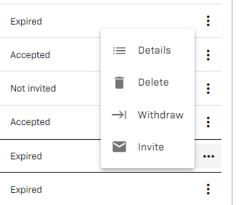
Under Company/ Staff, search for the relevant employee and click on “Invite” again.
¶ What happens to the data of an employee after his or her termination or employment relationship?
Under Company / Staff you mark the employee as “withdrawn”.
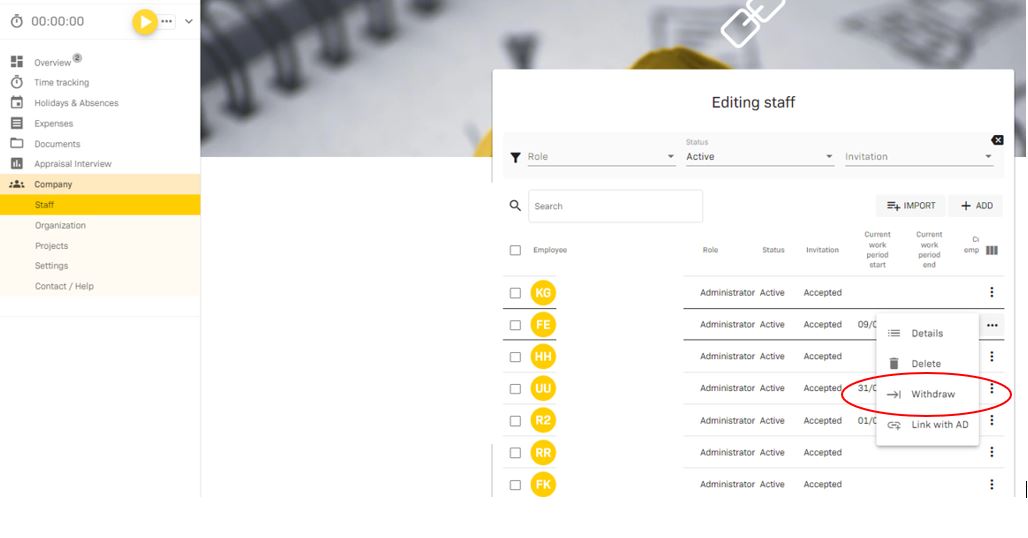
After the leaving date, the employee has only very limited access to 2getHR. He can still view his payslips and personal documents, e.g. employment contract, personal agreements. At the end of the year, they will also be able to download their salary statement.