¶ Appraisal Interview
¶ What is the process of an appraisal interview with 2getHR?
First, HR or the supervisor prepares the employee interviews (Appraisal / Settings). The interview is divided into different sections:
• Company goals
• Personal goals
• Questionnaire (can be recorded individually)
• Personal outlook / notes
The sections can be designed completely freely. There is also the option of displaying additional employee information before the interview (e.g. holidays, absences, etc.).
Once the appraisal interview has been set up, HR or the supervisor sends the invitation to the appraisal interview under Appraisal / Management (Attention: the invitation from the 2getHR is not yet linked to a date. This must be sent individually in the company calendar - e.g. Outlook). With the 2getHR invitation, the employee receives the link to his/her personal appraisal interview.
Info: the name of the interviewer must be entered under Employee interview / Management. This refers to the person who will conduct and manage the appraisal interview.
Before the interview: Employee and manager both click through the appraisal interview in advance and individually and evaluate / answer the personal questions. When the interview is conducted, both parties release their interview. The answers that are released by the system serve as a basis for discussion. Together, the employee and the supervisor agree on a joint assessment of the criteria.
After the conversation: Both parties release the conversation via button (signature). After approval, the interview is saved in the employee’s digital personnel folder and can be retrieved at any time.
The goals agreed upon in the conversation appear under Appraisal interview / Active objectives.
¶ How is an appraisal interview set up?
Under Appraisal Interview / Settings you will find the following three categories: Templates, Goal Catalogues and Response Types.
Under Templates, the administrator records all the conversations that take place in the company. The annual appraisal interview is the most common interview, so we have already created a template for it. Of course, you can also change, adapt or completely delete the individual points.
The annual company goals are recorded under goal catalogues. These either apply to the entire company, or they are assigned to an organisational unit in a second step.
You will need the answer types later when creating the questions as an evaluation. As a standard, the answer types “true” and “evaluation” are included, but you can add more with the plus sign.
¶ How do I include the company objectives in the appraisal interview?
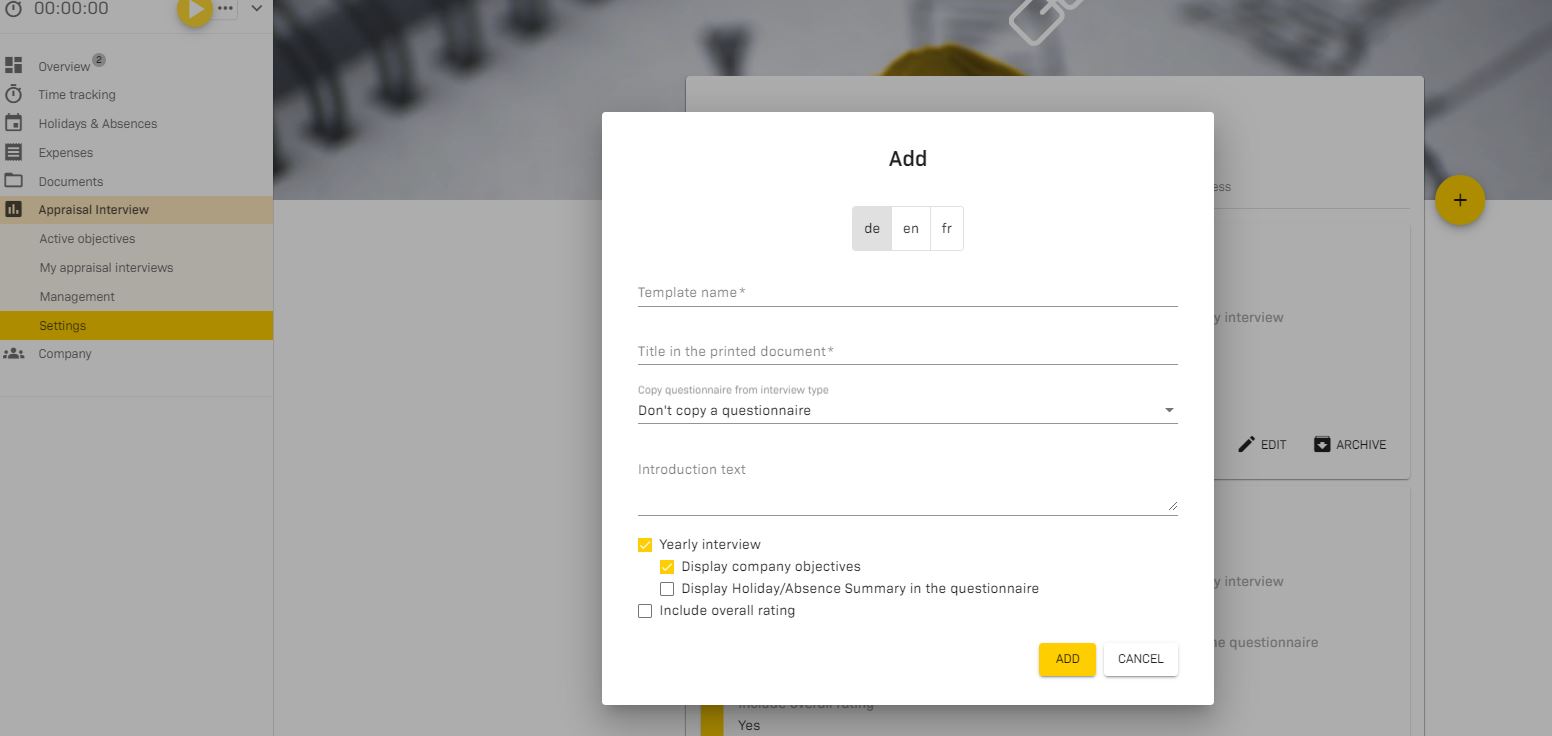
As soon as you have saved the company goals, you can add them to the staff meeting. To do this, press the yellow plus sign and tick the box “Show company targets”.
¶ Invite staff for interview
The talks are prepared. Now it is time to send the invitation to the employees. You do this under Appraisal interviews / Management.
Is it a single meeting or will all employees of the company receive an invitation?
Under Types of appraisal interviews you select the template you want to send to your employees.
Here you will see the message “the appraisal interviews have been successfully created”. Now you know that everything has worked and the invitations have been sent.
Attention: The employees only receive the link to the appraisal interview with the e-mail, but no date. The date is sent separately by the person conducting the interview.
¶ Is this a one-to-one meeting or will everyone in the company receive an invitation?
Under Appraisal types, select the template you want to send to your employees.
Here you will see the message ‘Appraisals have been successfully created’. Now you know that everything went well and the invitations have been sent.
Please note: The email only contains the link to the appraisal interview, not the date. The date will be sent separately by the interviewer.